Loading...


How to Stop using your name on Facebook Ads

Categories: Facebook | General | Tips

you-name-on-facebook-ads

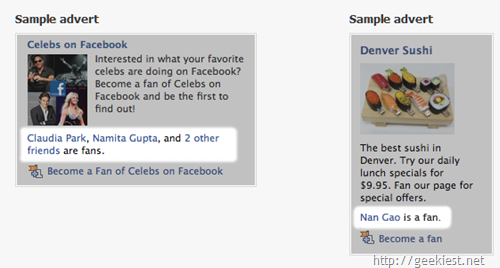
By default Facebook will be using your name on ads, just like the ads shown on the above picture. You can stop this by doing the following steps

1.  Go to Accounts >> Account Settings
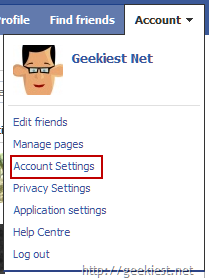
Facebook-Account-Settings

2. Go to Facebook Adverts

Facebook-adverts

3. It shows Facebook will not Show your Photos in ads (We are talking about the usage of Names here, not the photos)

facebook-privact-clarification

4.  Change the dropdown value to No one and click Save Changes
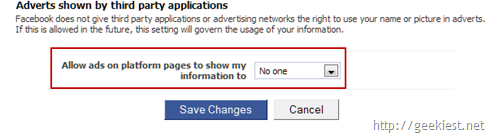
Facebook-Ads-change-to-No-One

[Via Of Zen and Computing]


Share It >>

Tags: ,

Posted On :Monday, 17 May 2010 03:11 by krishnan


Post Calendar

<<  September 2010  >>
MoTuWeThFrSaSu
303112345
6789101112
13141516171819
20212223242526
27282930123
45678910
