I have seen pictures of Women in advertising , I have seen some of them in “Find friends from different parts of your life” section of facebook. So here is how you can stop showing your photos or profile details in Facebook advertisements. According to me you must confirm that what is your Facebook advertising settings.
If a photo is used, it is your profile photo and not from your photo albums
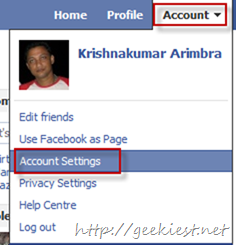
1. Go to Settings
2. Go to Facebook Adverts Tab

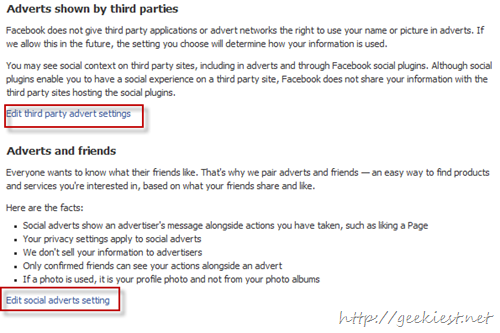
3. You have two options there
I. Adverts shown by third parties
II. Adverts and friends
click on Edit of each
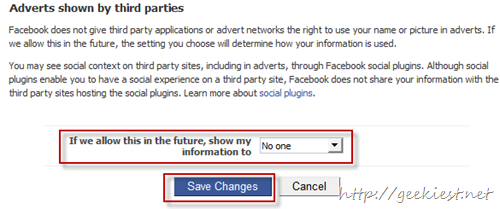
4. Choose “No one” on drop down and click Save Changes
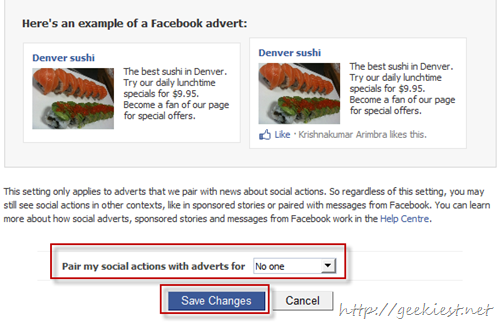
And