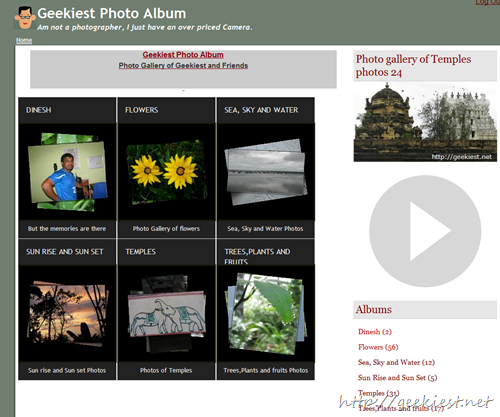
I have completed a photo album and you can see a demo here http://geekiest.net/photos/. This album is developed using C#.
Features
- Automatic watermark (Text or Image)
- Dynamic Album cover photo
- Set size of album cover photo
- Set size of thumbnails and images
- Upload as zip folder, single image upload or can use FTP
- Admin can manage rows and columns of albums and photos need to be displayed on page
- Can enable or disable comments
- Comments can be Moderated
- Can have private albums, to watch it need to be logged in
- Can have multiple users
- Auto rotate based on Exif
- Display Exif Data
- Have simple image editing like Flip, Rotate, convert to grey scale etc.
What I need to add more
- Need to provide option to edit user interface
- Beautification
- More testing
Please send suggestions (of User side) and I will publish it later so that every one can use.
As many of you know this site is using BlogEngine.Net as the blog plat form from the beginning itself and I must say it is simply cool. When I wanted to add a new virtual directory to my blog I had to change the web.config of my BlogEngine, and also a change in the web.config of my child folder.
So for those who are having same issues, These two links will help you to solve.
1. If your site is running a blogEngine and you want to add a subdomain, or child virtual directory check this solution which says two solutions first one is remove <httpHandler> and <httpModule> tags from <system.web> and second one is move the validation tag outside of the location tag, read it detailed on the website.
2. (Not related to BE) If you are using IIS 7 and you are getting 500 - Internal server error you can check this link for sulution, which suggests to add a single line <validation validateIntegratedModeConfiguration="false" /> inside system.webserver like below in web.config
<system.webServer>
<validation validateIntegratedModeConfiguration="false" />
</system.webServer>